
If you have been keeping an eye on the ERP world lately, you already know that Odoo releases tend to be a big deal. But Odoo 19 is shaping up to be one of the most significant updates the platform has seen in years. Whether you run a small business or manage a complex operation across multiple departments, the Odoo 19 new features bring real, practical improvements that can change the way your team works day to day. This version is not just about adding bells and whistles — it is about making the entire system faster, smarter, and far more intuitive for the people who use it every week. At OEC, we built our service offering around helping businesses get the most out of powerful digital tools — and Odoo ERP sits right at the center of that. As an official Odoo partner, OEC delivers end-to-end Odoo services, from initial consultation and implementation to full customization and ongoing support. We work with businesses across various industries to help them streamline operations, reduce manual work, and build systems that actually scale. So when a major Odoo release drops, we pay close attention — because what changes in the software directly affects the businesses we support. This article is a deep dive into everything that is new and improved in Odoo 19. We will walk through the biggest updates across key modules, break down what each change means in practice, and give you a clear picture of whether now is the right time to upgrade. If you already use Odoo or are thinking about adopting it for the first time, this guide gives you a solid foundation to work from. Let us get into it. What Is Odoo 19 and Why Does It Matter Before diving into the specifics, it helps to understand where Odoo 19 sits in the bigger picture. Odoo has grown from a simple open-source ERP into one of the most comprehensive business management platforms available today. It covers everything from accounting and inventory to HR, CRM, e-commerce, and project management — all in one connected system. Three Core Themes Driving Odoo 19 Each major version of Odoo brings architectural improvements alongside feature updates, and version 19 continues that tradition. The Odoo development team focused heavily on three core themes this cycle: artificial intelligence integration, user experience refinement, and performance optimization. These are not isolated upgrades — they run across the entire platform and touch almost every module in some way. Who Should Pay Attention For businesses that have been on Odoo 16 or 17 for a while and skipped the last cycle, version 19 gives you an especially compelling reason to move forward. Odoo 19 New Features: The Full Breakdown Artificial Intelligence Takes Center Stage One of the most talked-about additions in Odoo 19 is the deeper and more practical integration of AI across the platform. This is not AI for the sake of marketing — it embeds directly into workflows in ways that save actual time. AI-Powered Email Suggestions In the CRM and communication modules, Odoo 19 introduces smart email drafting. When a salesperson or support agent replies to a customer, the system now suggests contextually relevant responses based on the conversation history. This cuts down on response time and helps maintain a consistent tone across the team. Predictive Lead Scoring The CRM module now uses machine learning to score leads automatically based on historical conversion data. Instead of relying on gut feeling or manual scoring, your sales team gets a ranked list of leads with the highest likelihood of closing. This is particularly useful for businesses with a high volume of inbound inquiries. Inventory Demand Forecasting The inventory module gets a serious upgrade with AI-driven demand forecasting. The system analyzes past sales data, seasonal trends, and supplier lead times to recommend optimal reorder points and quantities. For businesses dealing with stock management challenges, this alone could be a game-changer. A Redesigned User Interface Odoo 19 brings a refreshed UI that is cleaner, more responsive, and easier to navigate — especially for new users. Simplified Navigation Menus The main navigation now requires fewer clicks to reach commonly used features. Menus group more logically, and the system surfaces frequently visited sections higher in the interface automatically. Dark Mode Support Yes, dark mode is finally here in a stable and fully supported form. It is a small thing on the surface, but for teams spending long hours in the system, it makes a noticeable difference in comfort. Mobile Experience Improvements The mobile interface has received significant attention. Key workflows like approving purchase orders, logging timesheets, and updating CRM opportunities now run fully optimized on smaller screens. This matters a great deal for field teams and managers who need to take action while away from a desk. Accounting and Finance Upgrades The accounting module in Odoo has always been one of its strongest areas, and version 19 builds on that foundation with several meaningful improvements. Real-Time Bank Reconciliation Bank synchronization is now faster and more accurate, with real-time matching between bank statements and journal entries. The reconciliation engine now handles more complex matching scenarios automatically, cutting the need for manual intervention. Tax Compliance Updates Odoo 19 ships with updated tax frameworks for a wider range of countries and regions. Businesses operating in multiple markets can now stay compliant without relying on heavy customization. Improved Financial Reporting The finance team can now build and save custom report layouts without needing developer assistance. The updated reporting suite includes new dashboard options, better drill-down capabilities, and more flexible date range comparisons. Key Points to Remember: Real-time reconciliation reduces month-end workload significantly The finance team can now build custom reports directly without developer help Multi-currency handling has also improved in this version Sales and CRM Enhancements The sales module gets a solid update in Odoo 19, with improvements aimed at both the sales process and the customer experience. Improved Quotation Builder The quotation interface now supports drag-and-drop product arrangement, inline editing of
What Is Odoo eLearning and How Does It Work?
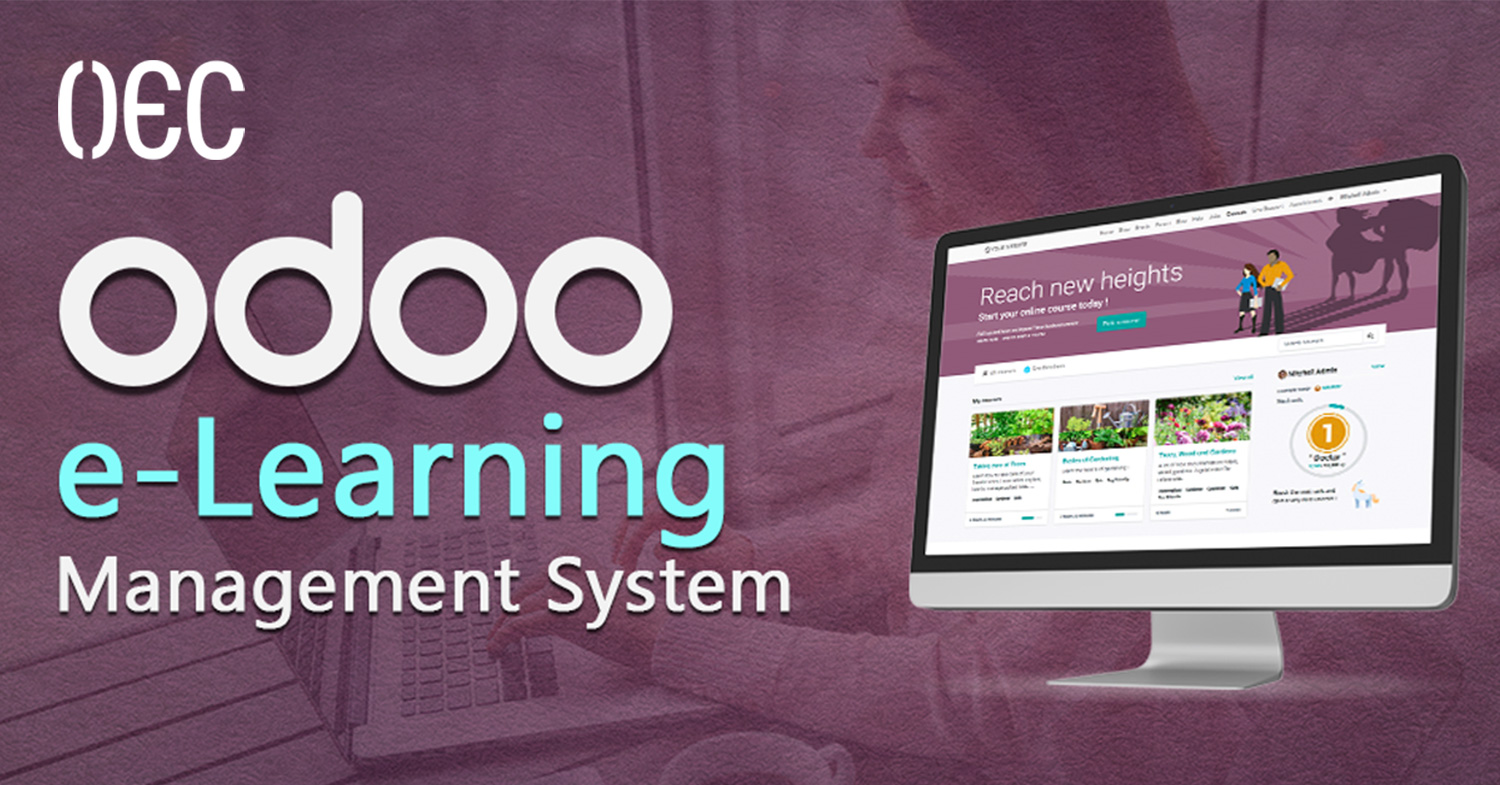
Training and knowledge sharing have changed a lot over the past few years. Businesses are no longer relying only on in-person sessions, printed manuals, or scattered video files saved across different platforms. Today, companies need structured, trackable, and scalable learning systems that grow with their teams. That’s exactly where digital learning platforms like Odoo eLearning come in, especially when they are deeply connected to daily business operations. At OEC, we work with organizations that want more than just software. They want systems that actually make their work easier, clearer, and more efficient. Our focus has always been on helping businesses organize their operations through smart digital solutions, whether that’s ERP systems, digital archiving, web platforms, or internal tools that bring structure to chaos. Training and knowledge management are a natural extension of that mission. In this article, we’ll break down what Odoo eLearning is, how it works, and why it’s different from traditional learning platforms. We’ll explain everything in a simple, practical way, so you can clearly understand whether Odoo is the right solution for your business, training program, or educational project. What Is Odoo eLearning? Odoo eLearning is a Learning Management System (LMS) built directly inside the Odoo eLearning ecosystem. Instead of being a standalone platform, it works as an integrated Odoo application that allows businesses, educators, and training teams to create, manage, deliver, and track online learning content. Unlike many external LMS platforms, Odoo doesn’t live in isolation. It connects naturally with other Odoo apps like Website, Sales, CRM, Employees, Invoicing, and eCommerce. This makes it especially powerful for organizations that already use Odoo or plan to build their operations around a single system. At its core, Odoo eLearning helps you: Create structured online courses Organize lessons and chapters Upload videos, documents, and presentations Add quizzes and assessments Track learner progress Manage access and permissions Sell courses or restrict them internally All of this happens inside the same environment where your business data already lives. Why Odoo eLearning Is Different from Typical LMS Platforms ERP-Native, Not External One of the biggest differences is that Odoo eLearning is ERP-native. Traditional LMS platforms usually sit outside your business systems. You log in to one platform for training, another for HR, another for sales, and another for reporting. With Odoo eLearning, learning becomes part of your operational flow. This means: Employees can access training through their existing Odoo accounts Courses can be linked to roles, departments, or onboarding processes Learning data can align with HR, performance, or internal workflows This level of integration is hard to achieve with third-party LMS tools. Built for Businesses, Not Just Schools While Odoo eLearning can be used for education, it’s clearly designed with business use cases in mind. It fits perfectly for: Internal employee training Onboarding programs Compliance and policy training Product or system training Partner or reseller education Paid or free online courses It doesn’t force an academic structure. Instead, it adapts to how businesses actually train people. How Odoo eLearning Works (Step by Step) Creating Courses in Odoo eLearning The foundation of Odoo eLearning is the course. Each course acts as a container for all related learning content. You can define: Course title and description Difficulty level Visibility (public or private) Access rules (free, paid, internal users only) Course image and landing page Courses are managed through a clean, visual interface that doesn’t require technical knowledge. Structuring Content with Chapters and Lessons Inside each course, content is organized into chapters and lessons. This helps learners move through material in a logical and structured way. Lessons can include: Video content Written explanations PDF files Slides External links Embedded media This structure makes learning easier to follow and avoids overwhelming the user with unorganized content. Content Types Supported by Odoo eLearning Video-Based Learning Video is one of the most common formats used in Odoo eLearning. You can upload videos directly or embed them from supported platforms. Videos work well for: System walkthroughs Internal training Product explanations Recorded sessions The platform tracks video completion, helping you understand how learners interact with your content. Documents and Written Content Not all learning needs to be video-based. Odoo eLearning supports: Text lessons Downloadable PDFs Guides and manuals Policies and documentation This makes it ideal for structured knowledge sharing, especially for operational or compliance-related content. Quizzes and Assessments Odoo eLearning allows you to create quizzes to test understanding and retention. You can: Add multiple-choice questions Define correct answers Set passing scores Require quizzes before course completion Quizzes help ensure learning isn’t passive and give you measurable results. Tracking Progress and Performance Learner Progress Tracking One of the strongest features of Odoo eLearning is progress tracking. You can see: Which users enrolled in a course Which lessons they completed Quiz results Completion percentages This is especially useful for internal training, where accountability matters. Certificates and Completion Status Courses can be configured to: Mark learners as “completed” Generate certificates Require full lesson completion before certification This is useful for internal documentation, audits, or structured learning paths. Odoo eLearning for Internal Company Training Employee Onboarding Odoo eLearning is a strong fit for onboarding new employees. Instead of repeating the same explanations, companies can: Create onboarding courses Centralize company policies Explain internal systems Track completion before full access is granted This creates consistency and saves time. Continuous Skill Development Training doesn’t stop after onboarding. Odoo eLearning supports ongoing education by: Updating courses regularly Adding new lessons as systems evolve Assigning learning paths by role This helps teams stay aligned and up to date. Selling Courses with Odoo eLearning Integration with Odoo Website and eCommerce Odoo eLearning integrates smoothly with Odoo Website and eCommerce. This allows you to: Display courses on your website Sell access to courses Handle payments and invoicing Control access automatically after purchase This makes Odoo a solid option for training providers and consultants. Managing Free vs Paid Content You can decide which courses are: Public Private Paid Restricted to logged-in users This flexibility supports different business models without extra tools.
Odoo Appointments: Features, Benefits and How It Works
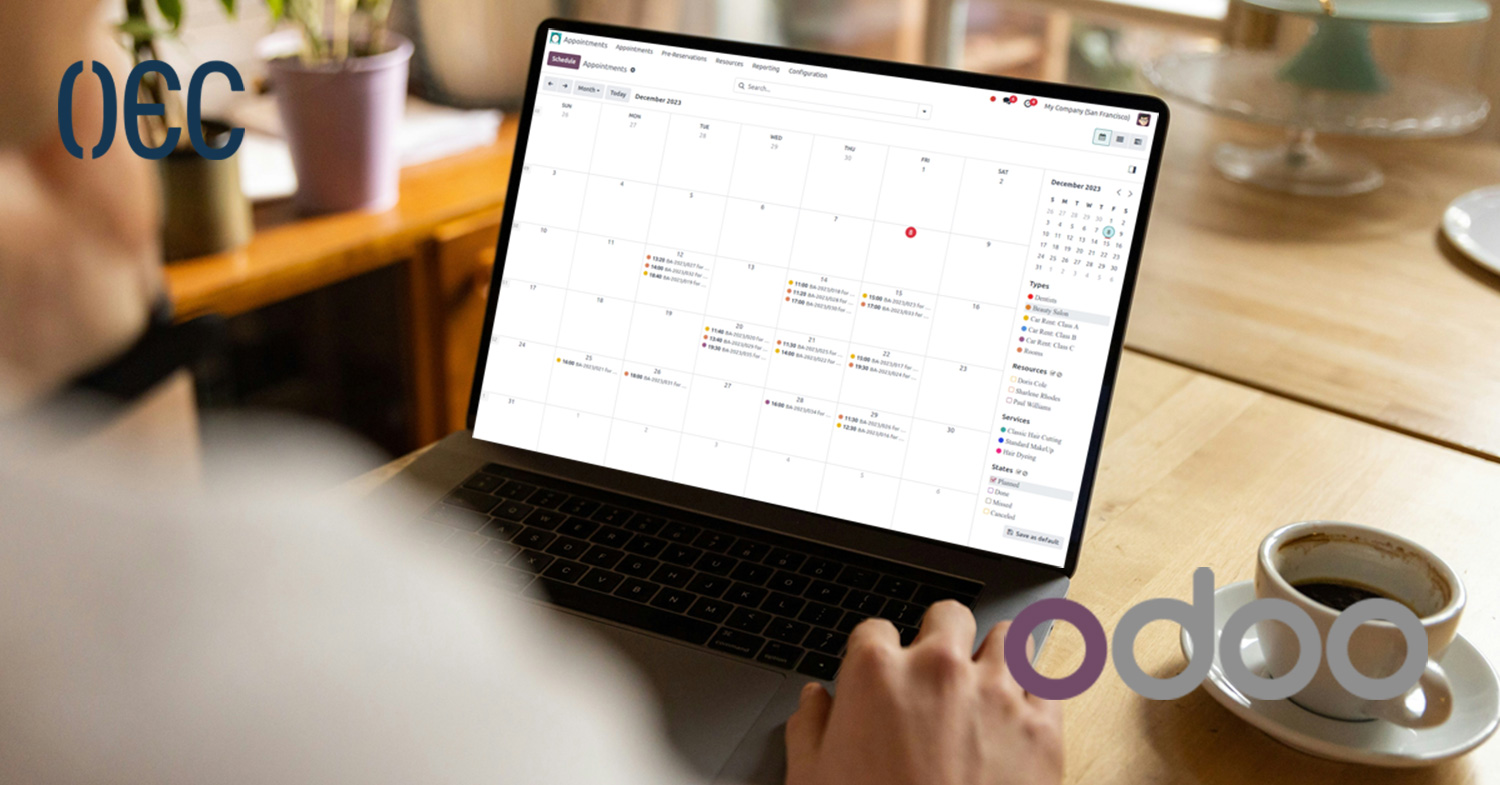
Many businesses underestimate appointment scheduling, but mishandling it can quietly waste a lot of time every day. Back-and-forth emails, missed calls, double bookings, and last-minute changes are all common issues that many businesses face. Whether you’re running a service-based company, managing internal meetings, or offering consultations, having a clear and organized Odoo Appointments system is no longer optional. At OEC, we work closely with businesses that are going through digital transformation and operational optimization. Many of them reach a point where manual scheduling tools like phone calls, WhatsApp messages, or spreadsheets simply stop working. That’s where structured systems like Odoo Appointments come into play. Odoo offers a full ecosystem of business applications, and appointment scheduling is one area where it can make an immediate and noticeable impact. In this blog, we’ll walk you through Odoo Appointments in a clear and practical way. You’ll learn what it is, how it works, its main features, and the real business benefits it offers. If you’re considering Odoo or already using it and want to understand how appointment scheduling fits into the bigger picture, this guide will give you everything you need to know. What Is Odoo Appointments? Odoo Appointments is a scheduling application within the Odoo ecosystem that allows businesses to manage bookings, meetings, and time-based services in a structured and automated way. Instead of manually coordinating schedules, businesses can let clients or internal teams book available time slots based on predefined rules. At its core, Odoo Appointments focuses on three main things: Availability management Booking automation Seamless integration with other Odoo apps It lets you schedule external client meetings, internal team meetings, or resource-based bookings with complete flexibility. How Odoo Appointments Works Setting Availability Rules One of the first steps in using Odoo Appointments is defining availability. This includes: Working days and hours Time zones Appointment duration Breaks or buffer times Once availability is set, the system automatically prevents bookings outside these rules. This alone removes a huge amount of manual coordination. Booking Flow The booking process is simple and user-friendly: The user selects an appointment type Available time slots are displayed The user chooses a suitable time The appointment is confirmed automatically No emails back and forth, no confusion. Automatic Confirmation and Notifications Once an appointment is booked: Confirmation emails can be sent automatically Calendar entries are created Internal teams are notified This ensures everyone stays aligned without extra effort. Key Features of Odoo Appointments Custom Appointment Types Odoo Appointments allows you to create multiple appointment types, each with its own rules. For example: Short consultations Long meetings Online sessions On-site visits Each appointment type can have different durations, availability, and booking conditions. Calendar Integration Appointments are synced with Odoo’s calendar, making it easy to: View daily, weekly, or monthly schedules Avoid overlaps Coordinate with team members This is especially useful for teams managing multiple schedules at once. Time Zone Management For businesses dealing with international clients or remote teams, time zones can be a real challenge. Odoo Appointments handles time zones automatically, ensuring: Clients see available slots in their local time No confusion or missed meetings Resource-Based Scheduling Appointments can be linked to specific resources, such as: Staff members Meeting rooms Equipment This prevents double bookings and ensures resources are used efficiently. Benefits of Using Odoo Appointments Reduced Manual Work One of the biggest benefits is the elimination of repetitive tasks. Once the system is set up, appointment scheduling becomes largely automated. This frees up time for teams to focus on more important work. Better Customer Experience From a client’s perspective, being able to book an appointment easily and instantly is a big advantage. There’s no waiting, no delays, and no confusion. Everything is clear and structured. Improved Internal Organization Internally, teams benefit from: Clear schedules Fewer interruptions Better time management Everyone knows when meetings are happening and what they’re for. Scalability As a business grows, appointment volume usually increases. Odoo Appointments scales easily, whether you’re handling: A few bookings per week Dozens per day Multiple teams across departments Odoo Appointments and Other Odoo Apps One of the strongest advantages of Odoo Appointments is how well it integrates with the rest of the ecosystem. Integration with Odoo CRM Appointments can be linked directly to leads or customers in the CRM. This allows businesses to: Track interactions Understand customer journeys Follow up more effectively Integration with Odoo Website Appointments can be embedded directly into your website. This creates a smooth experience where visitors can: Learn about your services Book an appointment immediately No third-party tools needed. Integration with Odoo Sales and Invoicing For paid appointments or consultations: Invoices can be generated automatically Payments can be tracked Financial data stays organized Integration with Other Odoo Modules Odoo Appointments also works smoothly with accounting, email marketing, automation tools, and more, creating a fully connected system rather than isolated tools. Use Cases for Odoo Appointments Service-Based Businesses Consultants, agencies, and service providers can use Odoo Appointments to manage client meetings efficiently without manual coordination. Internal Team Scheduling Departments can use the app to schedule internal reviews, planning sessions, or one-on-one meetings in a structured way. Online and Remote Meetings With the rise of remote work, online appointments are more important than ever. it supports this by allowing clear scheduling for virtual meetings. Common Challenges Odoo Appointments Solves Double Bookings By linking appointments to availability and resources, the system automatically prevents overlaps. Missed Appointments Automatic reminders and confirmations help reduce no-shows and missed meetings. Lack of Visibility Managers and team members can clearly see schedules, workloads, and availability at any time. Customization and Flexibility Odoo Appointments is not a rigid tool. It can be customized to match how a business actually works. This includes: Custom booking rules Different appointment flows Integration with existing processes Businesses across different industries widely adopt Odoo for its flexibility. Security and Data Control Since Odoo Appointments operates within the Odoo platform, businesses benefit from: Centralized data Controlled access rights Secure storage This is especially important for businesses handling sensitive

Odoo Subscription Management: Everything You Need to Know
Running a subscription-based business sounds simple on paper, but in reality, it can get messy very quickly. Recurring invoices, renewals, upgrades, downgrades, contracts, customer follow-ups, and reporting can turn into a daily headache if they’re not managed properly. This is exactly where Odoo Subscription Management comes in, offering businesses a smarter and more structured way to handle recurring revenue. At OEC, we focus on helping businesses simplify complex operations through digital solutions built around Odoo. Our work revolves around implementing and supporting Odoo systems that reduce manual work, improve visibility across departments, and help teams focus on growth instead of repetitive daily tasks. As subscription-based business models become more common across many industries, having a well-configured Odoo system in place is no longer optional—it’s essential for staying organized and scalable. In this blog, we’ll break down Odoo Subscription Management in a clear and practical way. You’ll learn what it is, how it works, its key features, benefits, common use cases, and how it fits into the wider Odoo ecosystem. Whether you’re new to subscriptions or looking to scale, this guide will give you everything you need to understand how Odoo handles subscription management properly. What Is Odoo Subscription Management? Odoo Subscription Management is a built-in application within the Odoo ERP system designed to manage recurring products and services. It allows businesses to automate subscription lifecycles, from contract creation to recurring invoicing and renewals. Instead of manually tracking subscriptions in spreadsheets or disconnected tools, Odoo centralizes everything in one system. Each subscription is treated as a living contract that can evolve over time, with clear visibility into billing cycles, customer status, and revenue forecasts. At its core, Odoo Subscription Management helps businesses: Automate recurring invoices Manage subscription plans and pricing Track renewals and expiration dates Handle upgrades, downgrades, and cancellations Analyze recurring revenue performance Why Subscription Management Matters for Modern Businesses The Shift Toward Recurring Revenue Models More businesses today are moving toward subscription-based models because they offer predictable revenue and stronger customer relationships. This applies to: Software and SaaS companies Service providers Maintenance and support contracts Digital platforms Content and media services However, recurring revenue only works well when subscriptions are managed efficiently. The Risks of Manual Subscription Tracking Without a proper system, businesses often face: Missed invoices or delayed billing Incorrect pricing or contract terms Poor visibility into active subscriptions Difficulty forecasting revenue Increased customer complaints Odoo Subscription Management solves these problems by automating processes and keeping everything structured and transparent. How Odoo Subscription Management Works Subscription Creation Subscriptions in Odoo usually start from: A sales order A predefined subscription plan A customer request Once confirmed, the subscription becomes active and follows predefined rules for billing, duration, and renewal. Automated Billing Cycles Odoo allows you to define billing frequencies such as: Monthly Quarterly Yearly Custom billing periods Invoices are generated automatically based on the subscription rules, reducing manual effort and billing errors. Lifecycle Management Each subscription goes through clear stages: Draft Active Paused Closed or Cancelled This lifecycle view helps teams track the exact status of every subscription at any time. Key Features of Odoo Subscription Management Flexible Subscription Plans Odoo allows businesses to create multiple subscription plans with: Different pricing models Billing intervals Contract durations Optional add-ons This flexibility makes it suitable for both simple and complex subscription offerings. Automated Recurring Invoicing Recurring invoices are generated automatically based on the subscription schedule. This ensures: Consistent billing Reduced manual errors Faster payment cycles Invoices can also be integrated with Odoo Accounting for full financial tracking. Prorated Billing When customers upgrade or downgrade their subscriptions mid-cycle, Odoo can automatically calculate prorated amounts. This keeps billing fair and transparent without manual calculations. Subscription Renewals and Expiration Tracking Odoo tracks: Renewal dates Contract expiration Renewal status This helps businesses stay proactive instead of reacting after subscriptions expire. Benefits of Odoo Subscription Management A dedicated benefits section will make your article stronger and more useful for readers: Time Savings Through AutomationAutomating invoices, renewals, and billing cycles reduces manual tasks and frees your team to focus on growth. Improved Accuracy and TransparencyBy centralizing all subscription data in Odoo, errors are minimized and reporting becomes accurate and actionable. Better Customer ExperienceAutomated reminders, clear billing, and flexible plans improve retention and reduce customer complaints. Scalable OperationsAs your business grows, Odoo Subscription Management adapts to multiple pricing tiers, add-ons, and complex subscription structures without extra effort. Actionable InsightsBuilt-in reports provide visibility into recurring revenue, churn rates, and forecasts, helping you make strategic decisions confidently. Managing Customers with Odoo Subscription Management Centralized Customer Data Every subscription is linked to a customer record inside Odoo. This means: Full contract history Invoice records Payment status Communication logs Everything stays connected, making customer management easier. Improved Customer Retention By automating renewals and reminders, businesses reduce the risk of losing customers due to missed follow-ups or unclear billing. Revenue Forecasting and Reporting Recurring Revenue Insights Odoo Subscription Management provides reporting tools that help businesses understand: Monthly recurring revenue Active subscriptions Churn rates Future revenue forecasts These insights are essential for strategic planning and growth decisions. Custom Reports Because Odoo is modular, reports can be customized to match business needs, whether for management, finance, or sales teams. Integration with Other Odoo Modules One of the strongest advantages of Odoo Subscription Management is how seamlessly it integrates with other Odoo apps. 1. Odoo Accounting Automatic posting of subscription invoices Real-time financial reporting Tax and compliance handling 2. Odoo CRM Convert leads into subscription customers Track opportunities related to subscription sales Improve sales forecasting 3. Odoo Sales Sell subscription plans directly from sales orders Apply discounts or promotions Upsell or cross-sell additional services 4. Odoo Helpdesk Link support tickets to active subscriptions Offer support based on subscription level Improve customer satisfaction And more, Odoo Subscription Management can connect with many other Odoo apps, creating a fully integrated system that streamlines workflows, improves visibility, and supports growth across all business functions. Common Use Cases for Odoo Subscription Management Service-Based Businesses Companies offering recurring
Odoo Email Marketing Guide: Features, Benefits, and Tips
Email marketing remains one of the most effective ways for businesses to communicate directly with their audience. Despite the rise of social media and other digital channels, Odoo Email Marketing helps companies achieve high ROI by streamlining campaigns, improving targeting, and providing measurable results. Using the right tool like Odoo ensures businesses can execute email strategies efficiently. OEC specializes in helping companies optimize their digital processes through solutions like Odoo ERP, document management systems (DMS), and digital archiving. These solutions are designed to create an integrated digital environment where different operations — from marketing to finance — work together efficiently. In this blog, we’ll explore Odoo Email Marketing in detail. You’ll learn what it is, how it works, its features and benefits, and how companies can leverage it to run effective campaigns while staying connected to other business processes. What Is Odoo Email Marketing? Odoo Email Marketing is a module within the Odoo ecosystem that allows businesses to design, send, and analyze email campaigns directly from their ERP system. Unlike standalone email tools, Odoo Email Marketing integrates with other modules such as CRM, sales, and marketing automation. This integration allows companies to connect email campaigns with leads, customer data, and business workflows for a more data-driven approach. With Odoo Email Marketing, businesses can plan campaigns, segment their audiences, and track performance all in one place. It is designed to simplify email management while giving teams the insights they need to make informed marketing decisions. Features of Odoo Email Marketing Easy Email Design Odoo Email Marketing comes with a drag-and-drop email builder that allows teams to create professional-looking emails without coding. Users can add images, buttons, links, and custom sections to match brand guidelines. Why it matters: Teams spend less time struggling with design tools and more time crafting effective messages. Segmentation and Targeting You can segment your contacts based on multiple criteria such as demographics, past purchases, or engagement history. This allows sending highly targeted campaigns that speak directly to each audience segment. Why it matters: Personalized emails perform better and increase the likelihood of conversion. Automation Odoo allows users to automate campaigns based on triggers such as user behavior, specific dates, or interactions with previous emails. Why it matters: Automation saves time, ensures timely communication, and maintains consistent engagement with your audience. Analytics and Reporting The module provides detailed analytics, including open rates, click-through rates, bounce rates, and conversion tracking. Why it matters: Teams can make data-driven decisions to improve future campaigns, instead of relying on guesswork. Integration with CRM and Other Modules Odoo Email Marketing works seamlessly with CRM, sales, and other modules. This connection allows marketing campaigns to be directly linked to leads, opportunities, and business objectives. Why it matters: It ensures that email marketing efforts support broader business goals and that performance data is centralized. Benefits of Using Odoo Email Marketing Streamlined Workflow Managing campaigns, customer data, and analytics all in one place reduces the need for multiple platforms. Teams can work more efficiently without jumping between tools. Better Personalization With audience segmentation and behavioral triggers, businesses can send more relevant messages. Personalization improves engagement and enhances customer experience. Data-Driven Decisions Analytics and performance tracking give marketers actionable insights. Businesses can identify what works, what doesn’t, and continuously optimize campaigns for better results. Increased ROI By targeting the right people with the right message at the right time, and it helps businesses improve conversion rates and maximize return on investment. Consistency Across Campaigns Templates and automation ensure that all emails maintain brand consistency and are delivered on schedule, which is crucial for building trust and credibility. How Odoo Email Marketing Works Step 1: Building Your Email Start by designing your email using Odoo’s drag-and-drop builder. Customize content, images, and buttons to match your brand. Step 2: Segmenting Your Audience Choose the contacts you want to reach based on behavior, demographics, or custom criteria. Segmentation ensures that each recipient gets content that is relevant to them. Step 3: Scheduling or Automating Decide whether to send your campaign immediately, schedule it for later, or set up automation triggers. Automation can save time and improve campaign consistency. Step 4: Tracking Performance After sending, monitor metrics such as open rates, clicks, bounces, and conversions. Use these insights to tweak future campaigns and improve performance. Common Use Cases for Odoo Email Marketing Promotional Campaigns Announce sales, new products, or special offers to targeted audiences. Customer Retention Send follow-up emails to customers after purchases or re-engage inactive users. Newsletters Keep your audience informed with regular updates, tips, or company news. Event Invitations Promote webinars, workshops, or in-person events with automated reminders and follow-ups. Best Practices for Using Odoo Email Marketing Keep Your List Clean Regularly update your contact list to remove inactive subscribers. This improves deliverability and engagement rates. Personalize Content Use segmentation and dynamic content to tailor emails to each recipient. Personalization boosts open rates and conversions. Test and Optimize A/B testing subject lines, content, and timing helps identify what resonates best with your audience. Monitor Metrics Track key metrics and analyze them regularly to adjust your strategy and achieve better results. Align with Business Goals Ensure email campaigns support broader objectives such as lead generation, sales, or customer engagement. \Why OEC Is the Best Partner for Odoo Email Marketing Getting the most value from Odoo Email Marketing requires more than just using the module. Businesses need expertise, ongoing support, and an understanding of how it fits within the Odoo ecosystem. OEC provides structured support for implementing and managing Odoo Email Marketing, ensuring campaigns are correctly configured, maintained, and connected with other modules like CRM and marketing automation. Reasons to choose OEC: Expert configuration and setup of Odoo Email Marketing Ongoing support and troubleshooting to maintain stability Integration with other Odoo modules for seamless workflows Focus on long-term scalability and optimization Guidance for data-driven email campaigns that align with business goals By leveraging OEC’s experience, businesses can maximize the efficiency and impact of their email marketing campaigns, improve organization, and
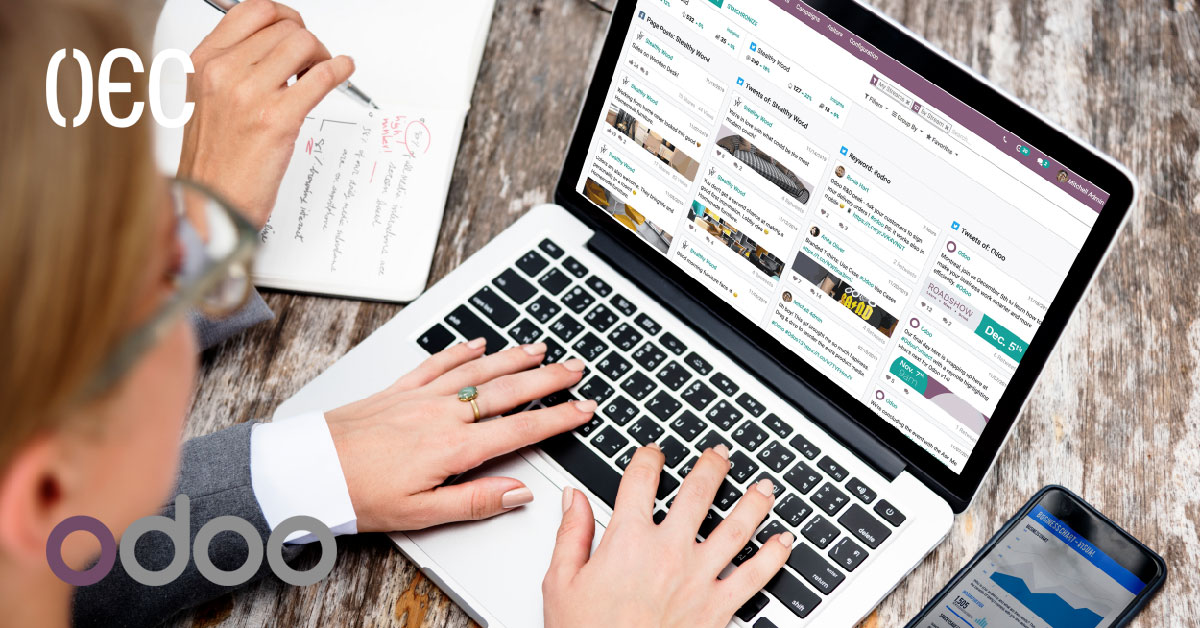
What Is Odoo Social Marketing and How Does It Work?
In today’s digital-first business environment, social media is no longer just a branding channel. It has become a daily operational tool for marketing teams, customer communication, and performance tracking. Managing multiple platforms, posting consistently, and measuring results can quickly become overwhelming without the right system in place. This is where structured tools start to matter more than manual effort. OEC works with businesses that are actively transitioning toward digital operations, offering solutions such as Odoo ERP, document management systems (DMS), and digital archiving. Through this work, it becomes clear that marketing teams face similar challenges to operations and finance teams: scattered tools, disconnected data, and limited visibility. A unified system is often the missing piece. This article focuses on Odoo Social Marketing, explaining what it is, how it works, and why it fits naturally within a broader ERP environment. The goal is to give a clear, practical understanding of the module, how businesses use it day-to-day, and how it supports more organized and measurable social media management. What Is Odoo Social Marketing? Odoo Social Marketing is a module within the Odoo ecosystem designed to help businesses manage their social media activities from a single platform. Instead of jumping between multiple social networks and external tools, marketing teams can plan, publish, monitor, and analyze content directly inside Odoo. At its core, Odoo Social Marketing connects social media management with business operations. This is an important distinction. The module is not just about posting content; it is about aligning social media efforts with leads, campaigns, sales activities, and overall performance tracking. Because it is part of Odoo ERP, the module naturally integrates with other Odoo apps such as CRM, Marketing Automation, Website, and Sales. This allows businesses to treat social media as part of a structured process rather than a standalone activity. Why Businesses Need a Centralized Social Media Tool Managing social media manually often leads to inefficiencies. Content calendars live in spreadsheets, performance metrics are checked separately on each platform, and valuable insights are rarely connected to actual business outcomes. A centralized tool like Odoo Social Marketing helps address these issues by offering: One dashboard for multiple social platforms A clear overview of scheduled and published content Centralized performance tracking Direct connection between engagement and business data When social media is handled inside an ERP environment, it becomes easier to understand how marketing efforts contribute to leads, customer interactions, and long-term growth. How Odoo Social Marketing Works Connecting Social Media Accounts The first step in using Odoo Social Marketing is linking social media accounts such as Facebook, LinkedIn, Twitter (X), and others supported by Odoo. Once connected, these accounts can be managed directly from the Odoo interface. This connection allows marketing teams to: Publish posts without logging into each platform separately Monitor interactions like comments and messages Track engagement metrics in one place The setup process is straightforward and designed to fit into existing Odoo configurations. Content Planning and Scheduling One of the strongest features of Odoo Social Marketing is content scheduling. Instead of posting content manually every day, teams can plan posts in advance and schedule them across different platforms. This helps with: Maintaining consistent posting schedules Aligning content with campaigns or promotions Reducing last-minute content pressure The scheduling view provides a clear visual layout, making it easier to see what content is planned and when it will go live. Publishing Across Multiple Platforms Odoo Social Marketing allows users to publish a single post across multiple social networks at the same time, while still adapting the message to fit each platform if needed. This approach: Saves time for marketing teams Ensures message consistency Reduces repetitive work Rather than treating each platform as a separate task, Odoo brings them into one structured workflow. Monitoring Engagement and Interactions Tracking Likes, Comments, and Shares After publishing content, Odoo Social Marketing collects engagement metrics directly within the system. These metrics include likes, comments, shares, and other platform-specific interactions. By centralizing this data, teams can: Identify high-performing content faster Understand audience behavior more clearly Adjust future content strategies using real data Instead of switching between multiple platforms, teams access all insights from a single dashboard. Managing Messages and Comments Social media communication often happens in real time, and missing messages can affect customer trust. Odoo Social Marketing helps by displaying messages and comments in one place. This allows teams to: Respond faster to inquiries Assign messages internally if needed Keep a record of interactions When combined with CRM, social interactions can even be linked to leads or contacts, creating a clearer customer journey. Analytics and Performance Measurement Understanding What Works and What Doesn’t Odoo Social Marketing provides reporting tools that help businesses analyze their social media performance over time. These reports focus on engagement trends rather than vanity metrics. With this data, marketing teams can: Identify which platforms deliver better engagement Understand content types that perform best Make data-driven decisions instead of assumptions Performance analysis becomes part of a continuous improvement process rather than a periodic task. Connecting Social Media to Business Goals It also works as part of the ERP system, which allows businesses to connect social media activities directly to their business objectives. Social media no longer operates in isolation. For example: Teams can link engagement directly to lead creation Managers can evaluate campaigns based on real outcomes, not just reach Marketing teams can align performance data with sales results This direct connection gives Odoo Social Marketing a clear advantage over standalone social media tools. Integration with Other Odoo Modules Odoo CRM Integration When social media is connected to CRM, interactions can be transformed into meaningful business data. Comments, messages, or clicks can be associated with contacts or potential leads. This helps businesses: Track customer interest over time Understand where leads originate Improve follow-up strategies Social media becomes part of the customer relationship process rather than a separate activity. Marketing Automation and Campaigns Odoo Social Marketing can work alongside Odoo Marketing Automation, allowing teams to align social posts with email campaigns, landing
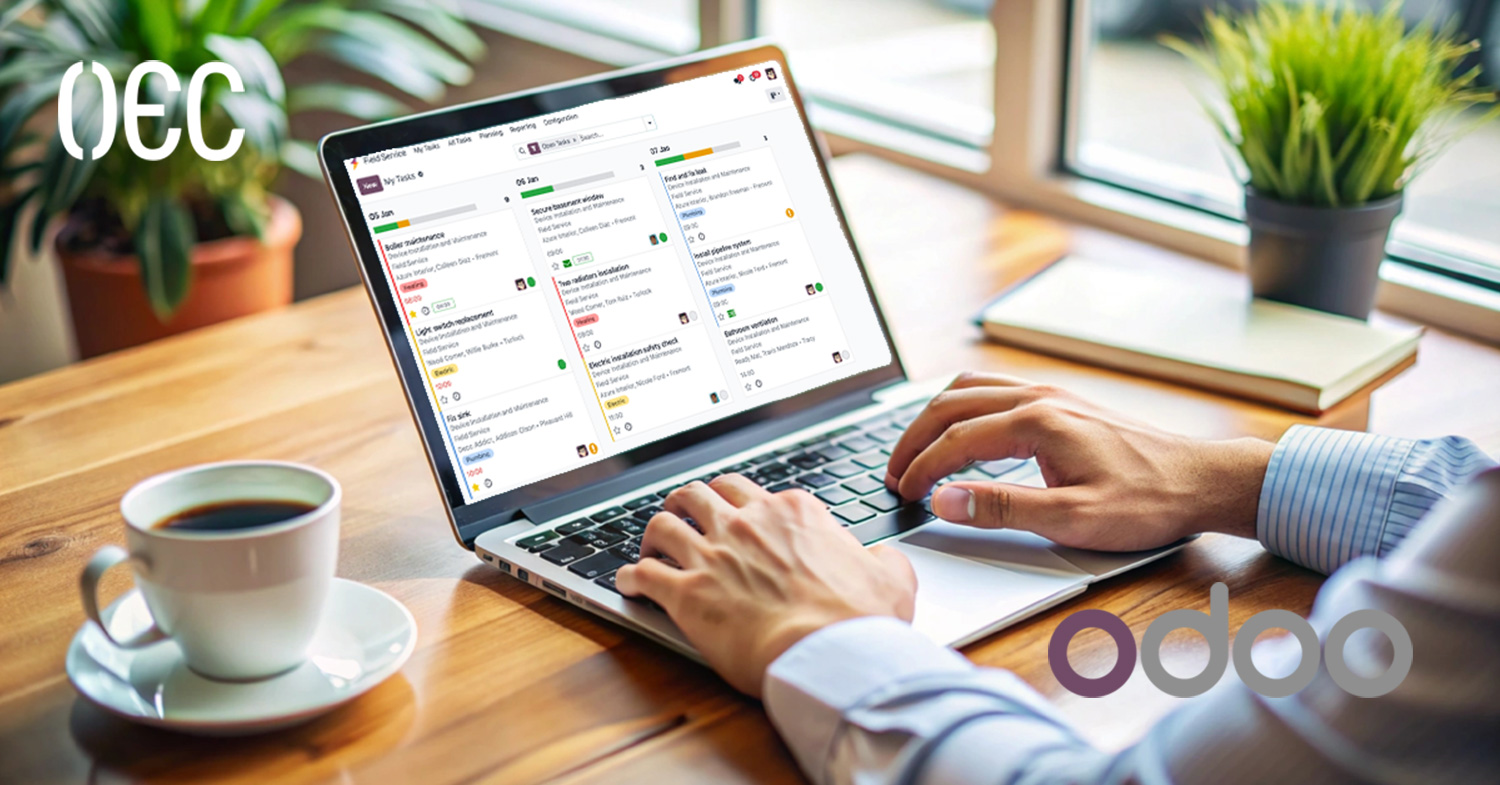
Odoo Field Service Management: Benefits and Key Features
Field service work looks simple from the outside—send a technician, finish the job, done. But anyone who has worked behind the scenes knows the truth: it’s messy, unpredictable, and full of tiny details that can easily slip through the cracks. One missed appointment, one confused technician, or one lost invoice, and suddenly your entire day feels like chaos. I’ve personally seen how manual tracking turns even basic tasks into a headache. That’s exactly why businesses today search for systems like Odoo Field Service Management—tools that help them stay organized without adding more complexity. When we talk about transforming operational efficiency, OEC always comes naturally to mind. With Ten years of experience working across digital archiving, web development, Odoo ERP, and IT solutions, we’ve seen firsthand what businesses struggle with and what actually helps them move forward. Odoo is one of those tools we recommend not because it’s trendy, but because it consistently solves real problems that teams deal with every day. It brings simplicity, structure, and clarity where businesses need it the most. This blog will walk you through everything you need to know about Odoo Field Service Management—its benefits, features, and why it’s such a powerful solution for companies that rely on field operations. Whether you manage technicians, maintenance teams, installations, inspections, or repairs, this guide will give you a clear picture of how Odoo can streamline your workflow from start to finish. What Is Odoo Field Service Management? Odoo Field Service Management is a module inside the Odoo ERP ecosystem that helps businesses manage everything related to field operations. You can plan tasks, schedule your team, track work, log time, prepare quotes, invoice customers, and monitor performance—all in one centralized place. Instead of jumping between WhatsApp messages, Excel sheets, calls, and random notebooks, everything becomes organized and visible. From a management perspective, it creates clarity. From a technician’s perspective, it removes confusion. And from a customer’s perspective, it increases trust and professionalism. Odoo keeps everything connected: The planning team sees what’s happening in real time Technicians get accurate details on what they must do Accounting instantly gets billable hours and consumed materials Customers receive clear communication and proper documentation That’s why it’s becoming the go-to solution for field service teams across industries. Why Businesses Struggle With Field Management To understand why Odoo Field Service Management matters, we need to address the common issues businesses face daily. Over the years, I’ve noticed the same patterns repeating across different industries: 1. Missing or unclear job details Technicians arrive unsure about customer addresses, required parts, or job priorities. This causes delays, miscommunication, and unnecessary back-and-forth. 2. Manual scheduling confusion Without a system, scheduling becomes a guessing game. People double-book, forget appointments, or fail to assign the right employee to the right job. 3. No visibility of team progress Managers can’t see what’s done, what’s pending, and what needs follow-up. This lack of clarity often leads to bottlenecks. 4. Inaccurate billing When time spent or materials used aren’t recorded properly, businesses lose money without realizing it. 5. Customer frustration Customers expect updates, clarity, professional documentation, and fast service. Without proper tools, delivering all of this becomes difficult. Odoo solves these pain points by bringing structure and automation to the entire workflow. Benefits of Odoo Field Service Management 1. Everything in One Platform The biggest advantage is integration. Odoo combines field operations with inventory, accounting, CRM, sales, human resources, and more. That means: Billing is automatic Stock levels update instantly when parts are used Customer details sync across departments Reports are generated with real data Teams don’t waste time switching systems When everything is connected, the entire business becomes smoother. 2. Real-Time Visibility Managers can track: Task progress Technician location Assigned jobs Time spent Materials consumed This kind of visibility helps businesses make faster and more accurate decisions. It also prevents delays because problems can be spotted early. 3. Better Technician Productivity Technicians get: A clear schedule Step-by-step job details Photos and files they can attach A timer to log hours A mobile-friendly interface Navigation to the customer location This eliminates confusion and helps them finish jobs faster and with fewer mistakes. I’ve seen how empowering technicians with proper tools changes their whole performance. When things are clear, people naturally work better. 4. Faster and More Accurate Billing Odoo captures: Time spent Spare parts used Equipment consumed Additional service charges With one click, invoices can be generated and sent to customers. No manual calculations, lost papers. No forgotten updates. This ensures revenue is captured correctly and on time. 5. Improved Customer Experience Customers get: Professional job documentation Accurate invoices Clear communication Faster service A higher sense of trust When a customer feels informed and confident in the process, they are more likely to continue working with your business. 6. Easy Planning for Managers Odoo’s scheduling interface shows: Employee availability Current and upcoming tasks Travel distance Urgent priorities This helps assign tasks effectively without overloading the team. 7. Reduced Errors Through Automation Automation eliminates mistakes caused by: Manual entry Miscommunication Lost notes Poor tracking With Odoo, the process becomes consistent and reliable every single time. Key Features of Odoo Field Service Management Now let’s break down the core features that make Odoo Field Service Management stand out. 1. Smart Scheduling and Dispatching Drag-and-Drop Schedule Managers can visually assign tasks with a simple drag-and-drop interface. It’s easy, fast, and prevents scheduling conflicts. Team Availability You can instantly see who’s free, who’s busy, and who’s already on a job. Optimize Assignments Tasks can be assigned based on: Skills Distance Workload Priority This ensures the right person goes to the right job. 2. Mobile Access for Technicians Technicians don’t need a laptop or heavy tools. With mobile access, they can handle everything on the go. Start and stop timers Automatically track how long each job takes. View customer details No more calling the office for directions or job notes. Add photos, files, or customer signatures This builds trust and improves documentation. Complete tasks in real time
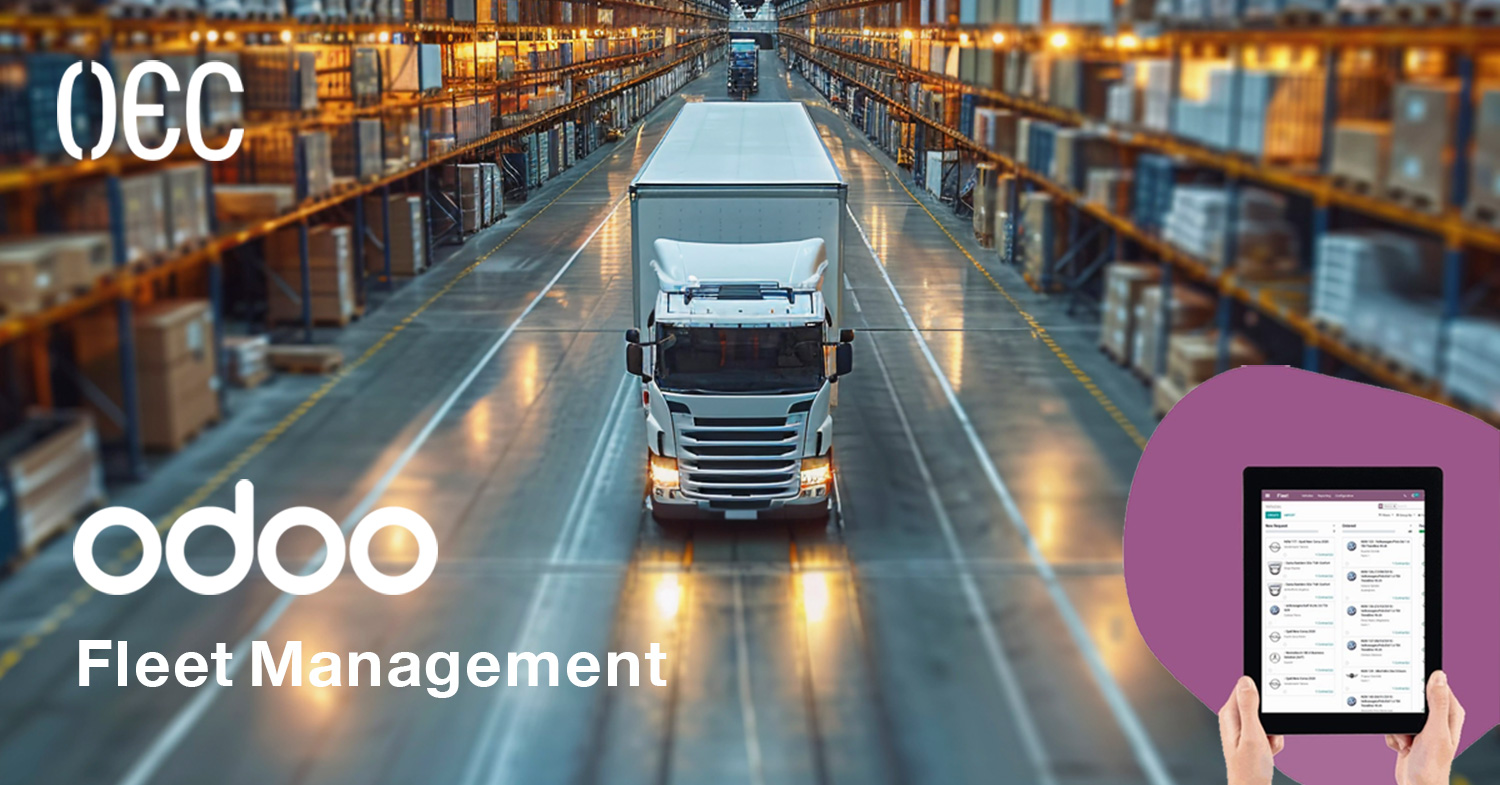
Odoo Fleet Management: Features & How It Works
Odoo Fleet Management: Features & How It Works Managing company vehicles often sounds simple on the surface, but anyone who has ever handled even a small fleet knows how fast things can get messy. You start with a couple of cars, then suddenly you’re dealing with fuel logs, unexpected breakdowns, maintenance schedules, insurance renewals, and drivers calling every week with new requests. It becomes a cycle of spreadsheets, reminders, and problems that keep popping up at the worst time. That’s exactly where a reliable Odoo Fleet Management Features makes a difference, especially when it’s connected to the rest of your operations. At OEC, we see this challenge every day when companies grow and start depending on more vehicles. Many businesses rely on manual tracking until it breaks down, or they use multiple tools that don’t talk to each other. Our goal is always to give companies a setup that feels simple on the surface but is powerful in the background. With Odoo, we help organizations build a connected fleet ecosystem that links maintenance, finance, HR, and operations together in one place. No extra systems, no scattered data, and no overcomplication. This blog will take you through how Odoo Fleet Management works, what makes it different, the core Odoo Fleet Management Features, and how it can transform daily operations. by the end of this article, you’ll understand exactly how the system handles costs, tracking, maintenance, contracts, and fuel management in a clean and organized way. What Is Odoo Fleet Management? Odoo Fleet Management is Odoo’s built-in module designed to help businesses manage everything related to company vehicles. Think of it like a central dashboard where all information about your cars, vans, trucks, or motorcycles stays organized and accessible. Instead of juggling spreadsheets, paper forms, and reminders, Odoo brings all the vehicle details into one smart, connected system. It’s not just about knowing who is driving what. The system tracks costs, contracts, mileage, maintenance, and everything else that affects your vehicle performance and budget. When combined with Odoo’s other apps like Accounting, HR, Purchase, and Inventory, fleet management becomes part of your entire workflow, not a separate system you have to follow. Why Companies Need Odoo Fleet Management Every growing company eventually reaches a point where manual fleet tracking becomes a bottleneck. Here are common issues companies face: Vehicles being used without proper records Missing insurance or registration renewal dates No visibility over fuel spending Unexpected repairs throwing off budgets Drivers reporting issues too late Difficulty calculating the real cost of each vehicle Miscommunication between departments Odoo solves all of that by giving businesses a connected view of their fleet. Instead of problems appearing suddenly, managers get real-time updates and alerts, allowing them to stay ahead of costs and issues. The system also reduces workload on drivers, supervisors, and finance teams, because the entire process becomes structured and automated. Odoo Fleet Management Features Below is a full breakdown of the main Odoo Fleet Management Features, how each one works, and why it’s important for companies that rely on vehicles every day. Centralized Vehicle Management All Vehicle Data in One Place Odoo creates a dedicated record for each vehicle in your fleet. Inside this record, you can store: Brand and model License plate Chassis number Driver assigned Fuel type Purchase date and value Vehicle status Odometer logs Contracts and maintenance history Instead of checking multiple files or contacting different departments, everything you need is in a single location. Managers get a full overview instantly, making decisions easier and faster. Real-Time Status Tracking Odoo shows whether a vehicle is available, in use, under repair, or needs attention. This visibility is crucial for planning, especially when companies rely on vehicles daily. No surprises, no guesswork. Driver Assignment Management Clear Ownership and Responsibility Every vehicle can be assigned to a driver or employee. When someone changes roles or leaves, the assignment can be updated with one click. This prevents confusion like, “Who used this car last week?”It also helps track cost per driver and improves accountability. Driver History Odoo keeps a full history of past drivers for each vehicle, making it easy to review usage patterns, spot unusual costs, or understand driver behavior over time. Contract Management Manage All Vehicle Contracts Easily One of the most powerful Odoo Fleet Management Features is contract tracking. You can manage: Lease contracts Insurance Service agreements Warranty coverage Registration renewal Annual tests and inspections Each contract can have: Start and end dates Recurring cost Alerts before expiration Automated Reminders The system notifies managers before any contract expires. No more missed deadlines, penalties, or last-minute panic renewals. Odometer Tracking Manual or Automated Updates Odoo lets you log odometer readings manually or integrate them with devices for automatic updates. This is essential for: Maintenance scheduling Fuel cost tracking Detecting excessive usage Calculating depreciation Monitoring Sudden Mileage Changes Unusual mileage jumps can be a sign of driver misuse or reporting errors. Odoo helps spot these patterns immediately. Fuel Management Track Fuel Logs and Spending Fuel is one of the biggest costs in fleet operations. Odoo lets you log: Liters consumed Fuel price Date Vehicle Driver This ensures transparency and helps identify fuel waste, fraud, or inefficient driving habits. Monitor Fuel Efficiency By comparing mileage and fuel consumption, Odoo helps you understand which vehicles consume more fuel than expected. This directly supports budgeting and cost optimization. Service and Maintenance Management Plan Maintenance Before Problems Happen Odoo allows you to schedule preventive maintenance based on: Mileage Time Vehicle type Usage patterns This reduces unexpected breakdowns and extends the lifespan of your vehicles. Create Service Requests Drivers or managers can create service requests when something needs repair. Each request includes: Problem description Cost Service provider Status You can track everything from minor issues to large repairs. Maintenance History Odoo stores the full maintenance history of every vehicle. This helps with: Resale decisions Cost analysis Identifying recurring issues Cost Tracking and Reporting Track Every Cost Automatically Odoo gathers all costs related to a vehicle: Fuel

How to Pick your Document Management System in Saudi Arabia
Running a business today in Saudi Arabia comes with one major challenge almost everyone talks about but rarely solves properly: documents everywhere. Paper files, scattered PDFs, emails, approvals, contracts, and folders inside folders. At some point, every business reaches that moment of frustration where it becomes impossible to track what is last updated, who approved what, or where a single file is stored. That moment is usually the wake-up call to finally consider a Document Management System in Saudi Arabia that actually makes life easier instead of adding another complicated tool to the mix. At OEC, we’ve seen this pain firsthand. Since 2016, we’ve worked with companies across different industries who all share the same struggle: they want something simple, reliable, and secure. Over the years, we’ve built solutions that reduce chaos, improve workflows, and help teams focus on actual work instead of hunting for files. This experience helped us understand what truly matters in a Document Management System in Saudi Arabia, especially with how fast digital transformation is growing in the region. And that’s exactly what this blog is about. If you’re trying to choose the best Document Management System in Saudi Arabia, this guide will walk you through everything you should look for. We’ll break down the features that matter, the mistakes companies usually make, and how to pick a system that actually fits the way your business works. By the end, you’ll have a clear pathway to choosing smarter, not harder. What Makes the Right Document Management System in Saudi Arabia? A Document Management System in Saudi Arabia should be practical, easy, and built around real workflows. You want something that helps your team save time, stay organized, and work confidently. Before choosing one, it’s important to understand the core elements that make a system genuinely effective. Understand Your Current Challenges First Before even looking at systems, you need to understand what’s happening inside your business today. Think about questions like: Are documents hard to find? Do approvals take too long? Are employees using different versions of files? Are files safe, or are they sent around on messaging apps? Security and Compliance Should Come First Saudi Arabia’s regulations regarding data protection are becoming more structured each year. When choosing a Document Management System in Saudi Arabia, security is not optional. Look for encryption and access control You need a system where: Users only access what they are allowed to. Every action is logged. Sensitive files are protected even if someone leaves the company. Why this matters A lot of systems look good until you realize anyone can download or forward files without any control. In companies where contracts, HR documents, or financial data are involved, this becomes a serious risk. Choose a System That Matches How Your Business Actually Works A Document Management System in Saudi Arabia shouldn’t force your company to change its entire workflow. Instead, it should adapt to your processes. Customizable workflows Every department works differently: HR needs onboarding workflows. Finance needs approvals. Operations needs fast retrieval. Legal needs version tracking. Make sure the system can reflect these differences. Arabic and English OCR and Search Accuracy Matter This is one of the biggest points companies overlook when choosing a Document Management System in Saudi Arabia. Why Arabic OCR changes everything Arabic and English text recognition is still challenging in many systems. If the OCR isn’t accurate, your search results will always miss important files. Your DMS should: Read Arabic and English clearly. Convert scanned files into searchable text. Let you search inside documents instantly. This alone can cut searching time by 90% percent. Make Sure Users Can Preview Documents Smoothly People are busy. They don’t want to download files just to view something simple. In-system previewing is a must A powerful Document Management System in Saudi Arabia should allow: Opening PDFs instantly. Viewing office documents without downloading. Quick page navigation. This creates a smoother, more productive experience. Check Integration Capabilities One of the biggest advantages of digital transformation is having everything connected. A standalone DMS is helpful, but an integrated one is much more powerful. What should it integrate with? ERP systems. Email. HR systems. CRM. Project management tools. When your documents connect to your operations, your entire workflow becomes smarter. Cloud vs On-Premise – What Should You Choose? Both options can work, but not every option fits every company. Cloud Fast to deploy. Lower upfront costs. Accessible from anywhere. On-Premise Full control over data. Best for sensitive departments. Works well when internet connection is limited. On-premise DMS offers the best fit for many businesses in Saudi Arabia because it provides full control over data, stronger security, and easier compliance with local regulations. It keeps sensitive information in-house while still supporting flexible workflows, allowing companies to manage documents efficiently without relying on external servers or internet connectivity. This makes it a reliable and secure choice for organizations that prioritize control and data protection. Don’t Ignore User Experience A complicated system will never be used, no matter how advanced it is. Look for simplicity Your staff should be able to: Upload files easily. Search instantly. Understand the interface without training. If the system feels confusing, engagement drops. Scalability and Future Growth Businesses in Saudi Arabia are growing fast. Your Document Management System in Saudi Arabia should grow with you. What scalability includes Adding new users easily. Managing large storage without slowing down. Supporting more workflows over time. Check the Support and Maintenance Quality Technology is only as good as the team behind it. Why support matters A good support team ensures: Fast issue resolution. Smooth onboarding. Continuous updates. A system that always runs properly. This alone can make or break your experience. Why OEC Is the Best Choice for a Document Management System in Saudi Arabia OEC has spent years developing intelligent, secure, and user-friendly document management solutions that fit the way businesses in Saudi Arabia actually work. Our system is built around real challenges we’ve seen across different industries, focusing on smooth

What’s The Differences Between Odoo 18 And 19 ?
Every year, the Odoo community waits with anticipation for the next big release. And honestly, I understand why. Odoo is one of those ERP platforms that manages to feel both familiar and exciting with every update. You don’t just get bug fixes — you get meaningful changes that actually improve the way businesses run day-to-day. For anyone relying on it to manage sales, inventory, HR, or accounting, a new version isn’t just “nice to have”; it can be a game-changer. That’s exactly where the jump from Odoo 18 to Odoo 19 comes in — it’s not just about keeping up with technology, but about unlocking new efficiencies. At OEC, we’ve been working with Odoo for years, guiding clients through upgrades, customizations, and full ERP implementations. Since 2016, our team has been helping companies digitize their operations, reduce costs, and work smarter. Whether it’s integrating Odoo with other systems, building custom modules, or providing training, we’ve seen firsthand how the right version of Odoo can completely change how a business operates. That’s why we keep a close eye on new releases — so we can advise our clients with confidence. In this blog, we’re going to explore the real differences between Odoo 18 and 19. We’ll break down what’s new, what’s improved, and what might make you want to upgrade sooner rather than later. This isn’t a press release or a tech spec sheet — it’s a practical, helpful guide based on experience. By the end, you’ll have a clear picture of whether the move to Odoo 19 is worth it for your business, and how OEC can help make that transition as smooth as possible. Why Odoo Versions Matter When you’re working in ERP, every update counts. Unlike a regular app where an update might just mean a new icon or a slightly different interface, an Odoo upgrade can reshape the way you handle your entire business process. It can mean automating tasks that used to eat up hours, providing better analytics, or giving your team more intuitive tools. One thing I’ve noticed when working with clients is that they often underestimate the cumulative effect of these updates. For example, I once worked with a manufacturing company still on an older Odoo version. They didn’t think an upgrade would make much difference — until they saw the newer production scheduling features. Suddenly, what used to be a messy spreadsheet process was streamlined into a few clicks, saving hours every week. Odoo 18 Overview Before we dive into what’s new in Odoo 19, let’s quickly revisit Odoo 18. This version set the stage for a lot of the changes we now see in 19. Improved User Interface: Cleaner layout and more responsive design. Enhanced Reporting Tools: Better dashboards and data visualization options. Refined Automation: Easier workflow automation without heavy technical setup. Expanded Integration Options: Smoother connections to third-party apps. Better Performance: Reduced load times and faster data processing. From my experience, Odoo 18 was a stable, reliable release that many businesses stayed with because it offered a balanced mix of speed, usability, and compatibility. Odoo 19 Overview Odoo 19 builds on Odoo 18’s strengths but pushes further into AI-driven features, mobile improvements, and deeper automation. AI-Powered Assistance: Data entry help, smart suggestions, and automated insights. Advanced Customization: Drag-and-drop dashboards, reports, and workflows. Improved Mobile Experience: More features available on mobile with better speed. Refined Accounting Module: More automation for reconciliations and tax handling. Collaboration Tools: Chat and file sharing embedded into modules. This release feels like Odoo is not just giving you tools, but actively working alongside you to make processes faster and smarter. Odoo 18 vs Odoo 19: What’s the Difference? Seeing the changes side by side makes it easier to understand the upgrade’s value. User Interface: Odoo 19 improves navigation and personalization, making it quicker for new users to learn. Automation: While Odoo 18 had strong automation, Odoo 19 integrates AI to anticipate and suggest actions, reducing manual steps. Reporting: Odoo 19 offers more flexible dashboard customization and AI-driven insights, compared to Odoo 18’s solid but less intuitive reporting tools. Mobile Experience: Odoo 19 closes the gap between desktop and mobile, delivering nearly the same experience on both. Accounting: The accounting module in Odoo 19 is smarter, handling more compliance checks automatically than in Odoo 18. Collaboration: Odoo 19 introduces better in-app communication, making team coordination easier without switching to other platforms. This shift isn’t about replacing everything — it’s about refining and enhancing the tools you already rely on, which is why the upgrade feels natural rather than overwhelming. Should You Upgrade Now? Upgrading from 18 to 19 isn’t mandatory, but it’s worth considering if: You want AI-powered assistance for day-to-day operations. Your team needs full mobile functionality. You want deeper automation in accounting and operations. You value quick, actionable reporting for decision-making. From what I’ve seen, companies that adopt newer versions earlier often discover process improvements they wouldn’t have noticed otherwise — not just because of the tech, but because the upgrade encourages them to re-evaluate how they work. Preparing for an Odoo Upgrade If you decide to move to Odoo 19: Review Current Processes: Spot bottlenecks that the upgrade can fix. Test First: Use a staging environment to check compatibility. Train Your Team: Even small changes can slow adoption if users aren’t prepared. Work with Experts: Having a partner like OEC ensures the process is smooth, without risking downtime or data loss. Why OEC Is the Best Partner for Your Odoo Upgrade At OEC, we don’t just install software — we tailor Odoo to fit your business. With 9 years of experience, we’ve helped organizations of all sizes upgrade without disruptions. We handle everything from configuration to training, and we remain available for support long after go-live. Our approach is built around your success: Understand your business goals. Configure Odoo to meet them. Provide hands-on training. Offer continuous support and optimization. When you choose OEC, you’re not just getting an upgrade — you’re getting a